Knowledge Center > Guides
What is CPQ?
A Practical Guide to Configure, Price, Quote Software for Manufacturers
By Elfsquad Experts - October 1, 2025
Introduction to CPQ
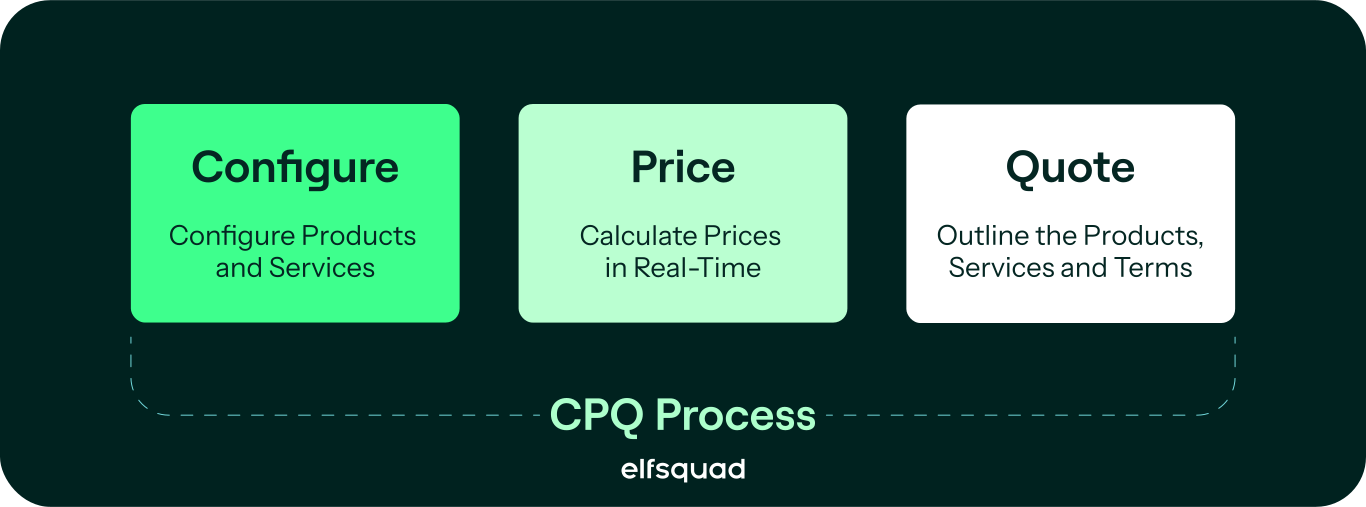
CPQ stands for Configure, Price, Quote. It gives your sales team the tools to generate accurate quotes for complex, configurable products, without relying on manual processes or engineering input for every order.
Most manufacturers reach a point where spreadsheets break down, product knowledge stays locked in people's heads, and every quote becomes a project in itself. CPQ solves that by turning your product logic, pricing rules, and configuration constraints into a structured, repeatable process that anyone in your organization can work with.
Elfsquad CPQ is built for manufacturers who compete on customer-specific solutions. It gives your teams the accuracy and control to handle growing complexity, without growing your dependency on consultants.
Configure
In the product configuration stage, CPQ software guides users through building complex products based on their specific needs. Rules and logic run in the background to make sure every choice is valid, so invalid configurations never reach production.
Examples of configuration in manufacturing:
- Different engine sizes and power outputs
- Material types such as steel, aluminium, and plastic
- Customizable dimensions including height, width and length
- Specialized attachments and tools
- Custom finishes like paint color and rust-proof coatings
- Component selections for industrial machines
Price
Once a product is configured, pricing is calculated automatically based on predefined rules, including tiered pricing, discounts, and regional variations. Your sales team always works with accurate, up-to-date pricing without manual calculations. That protects your margins and builds trust with customers.
Quote
After configuration and pricing, CPQ generates a professional, detailed quote in minutes. Elfsquad CPQ produces fully customizable quotes that reflect accurate product details and pricing, and delivers them directly to customers through integrated systems. Shorter lead times, fewer errors, and a better experience from first contact to final order.
Benefits of CPQ Software
CPQ software works across a wide range of industries and adapts to the specific configuration needs of your business. It connects directly with CRM and ERP systems to keep data consistent across sales and production, so your teams make decisions based on accurate, up-to-date information. The key benefits:
- Increased Sales Efficiency
- Enhanced Accuracy
- Improved Sales Performance
- Scalability
- Analytics and Reporting
Key Features of CPQ Software
Here is what CPQ software helps manufacturing companies achieve:
-
Product Configuration Management: Sales teams can configure products based on specific customer requirements, with built-in rules that ensure every configuration is valid and manufacturable.
-
Pricing Rules and Algorithms: CPQ calculates pricing dynamically based on the specific configuration chosen, including dimensions, quantities, surface areas, volume discounts, currency conversions, and regional variations, so every quote is accurate and competitive.
-
Quote Generation: Generate tailored quotes, proposals, and contracts in minutes. Each document reflects the exact configuration and pricing agreed upon, without manual input.
-
Guided Selling: Built-in tools guide sales reps through complex configurations, help identify upsell opportunities, and suggest complementary products, so every conversation leads to the right outcome.
-
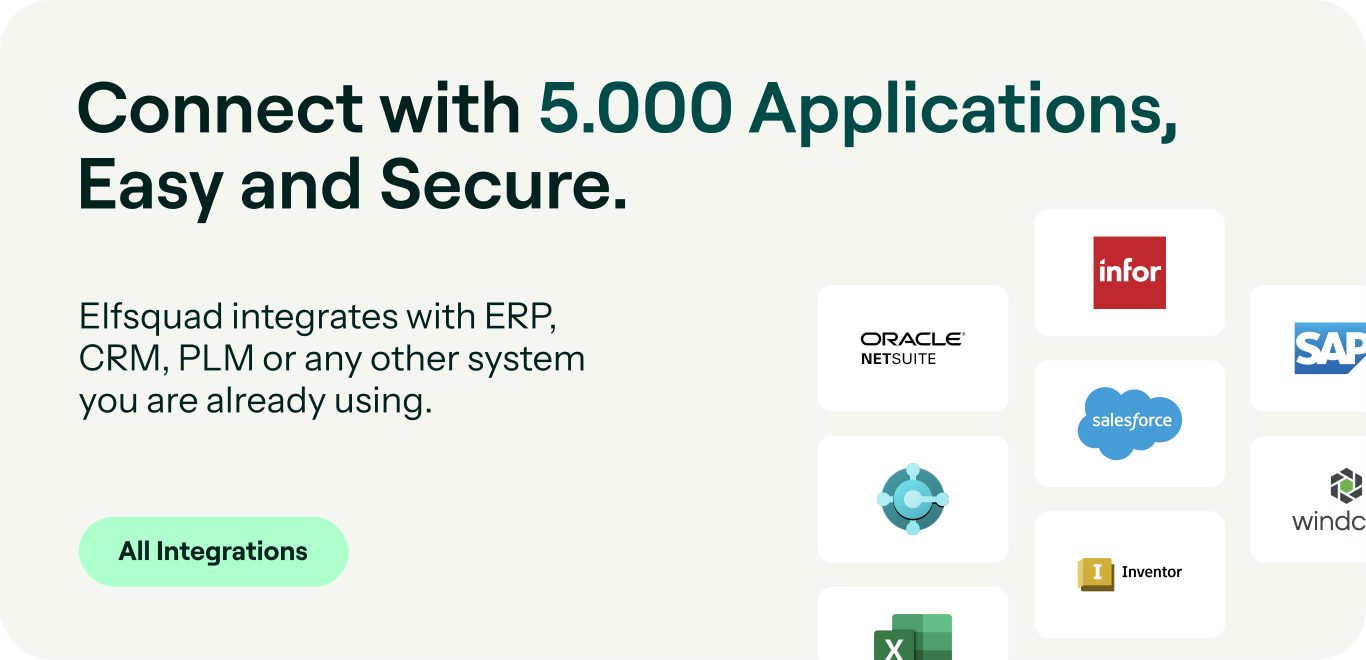
Integration Capabilities: CPQ connects with CRM systems like Salesforce, ERP systems such as SAP and Oracle Netsuite, and other business applications. Data stays consistent across departments, and workflows run without manual handoffs.
CPQ Selection Process
Choosing the right CPQ system starts with one question: can your own team manage it, or will you always depend on outside help? The right solution is intuitive enough for non-technical teams, flexible enough to handle complex configurations, and built to grow with your business without losing accuracy or control.
Below are the critical features every CPQ solution should offer if you want to stay in control of your own configuration.
User-Friendly Interface
Your sales team should be able to configure products and create quotes without technical expertise. A CPQ system that requires IT involvement for every change slows you down and creates dependency you don't need.
Dynamic Product Configuration
CPQ should handle complex configurations without locking you into fixed templates. Sales reps configure products based on actual customer requirements, no matter how many variables are involved.
Automated Pricing Rules
Pricing rules run automatically, so quotes are always accurate without manual intervention. Regional adjustments, volume pricing, and margin rules are built in, keeping every quote both competitive and profitable.
Seamless CRM and ERP Integration
Your CPQ system needs to connect with the tools you already use. Clean integration with CRM and ERP eliminates manual data entry, keeps information consistent across departments, and removes the handoffs that cause errors.
Scalable and Maintainable
As your product range and customer demands grow, your CPQ system should grow with them. Pricing models, configurations, and workflows should be easy to update without IT involvement or outside consultants.
Guided Selling
Guided selling helps sales reps navigate complex product offerings by suggesting the right options based on customer needs. It means less-experienced team members can deliver accurate, high-quality quotes from day one.
Cloud-Based
A cloud-based CPQ system is accessible from anywhere, scales without infrastructure investments, and stays up to date automatically. No downtime, no maintenance burden.
Compliance and Approval Workflows
Automated compliance checks and approval workflows make sure every quote meets legal, financial, and organizational standards before it reaches the customer. Fewer bottlenecks, faster sales cycles.
No-Code Configuration Management
Business users should be able to update configuration rules, pricing models, and workflows themselves. No coding, no developers, no waiting. Your team stays in control as your business evolves.
Implementing CPQ: A Step-by-Step Guide
Now that you understand what CPQ is and what to look for in a solution, here is how to move forward with implementation.
Step 1. Assess Your Business Needs
Start by identifying where your current process breaks down. Inaccurate quotes, slow turnaround times, configurations that depend on one or more experts. Understanding your specific pain points helps you choose a solution that actually fits your business, not just one that looks good on paper.
Step 2. Choose the Right CPQ Software
Look for a solution that integrates with your existing CRM and ERP systems, handles the complexity of your product range, and can be managed by your own team without constant outside support. Scalability matters too. The system should grow with your business without requiring a new implementation every few years.
Step 3. Set Up Your Configuration Logic
Work with your implementation team to translate your product knowledge into the system. Define configuration rules, pricing logic, discount parameters, and approval workflows. The goal is a system that reflects how your business actually works, so sales reps can quote accurately without needing to call engineering.
Step 4. Train Your Team
A CPQ system is only as good as the people using it. Make sure your sales team knows how to work with the new process, and that the people responsible for maintaining configuration logic understand how to keep it up to date. Good onboarding reduces errors and speeds up adoption.
Step 5. Connect With Your Existing Systems
Integrate CPQ with your CRM, ERP, and any other tools in your workflow. Clean integration means product information, pricing, and customer data stay consistent across departments, without manual transfers or duplicate entry.
Step 6. Monitor and Improve
Track the metrics that matter: quote accuracy, turnaround time, error rates, and customer satisfaction. Use what you learn to sharpen your configuration logic, update pricing rules, and keep the system aligned with how your business evolves.
Frequently Asked Questions About CPQ
The CPQ (Configure, Price, Quote) process helps companies automate and streamline the way they configure complex products, calculate accurate pricing, and generate professional sales quotes. It ensures that sales teams can quickly provide customized quotes that reflect the latest product and pricing information.
CRM (Customer Relationship Management) focuses on tracking interactions, managing customer data, and facilitating communication with leads and customers. CPQ, on the other hand, deals with the technical aspects of configuring products, calculating prices based on real-time data, and generating quotes. CRM manages the who, while CPQ handles the what and how.
CPQ can be integrated with ERP (Enterprise Resource Planning) systems, but it is not inherently part of ERP. While ERP systems manage back-office functions such as inventory, order fulfillment, and accounting, CPQ specifically focuses on the sales process—ensuring that product configurations and pricing are accurate based on business rules and inventory levels maintained in the ERP.
Businesses use CPQ to speed up the sales process, eliminate errors from manual configurations, and ensure that quotes are accurate and up to date with the latest product and pricing information. It ultimately improves customer satisfaction and accelerates deal closure.
Managing different sales channels is a constant challenge. That’s why we designed a “channel management” feature within the Elfsquad. Manage all your selling organizations, including dealers, resellers, and distributors, in one convenient platform.